
FIRE TV REMOTE APP FOR ANDROID
The Firestick Remote App for Your Android Phone.
Remote for Fire TV turns any Android phone into a full Fire TV remote over your home Wi-Fi. There is no local-network permission to clear on Android — just four digits from the TV, and two battery settings that keep the reconnect instant.
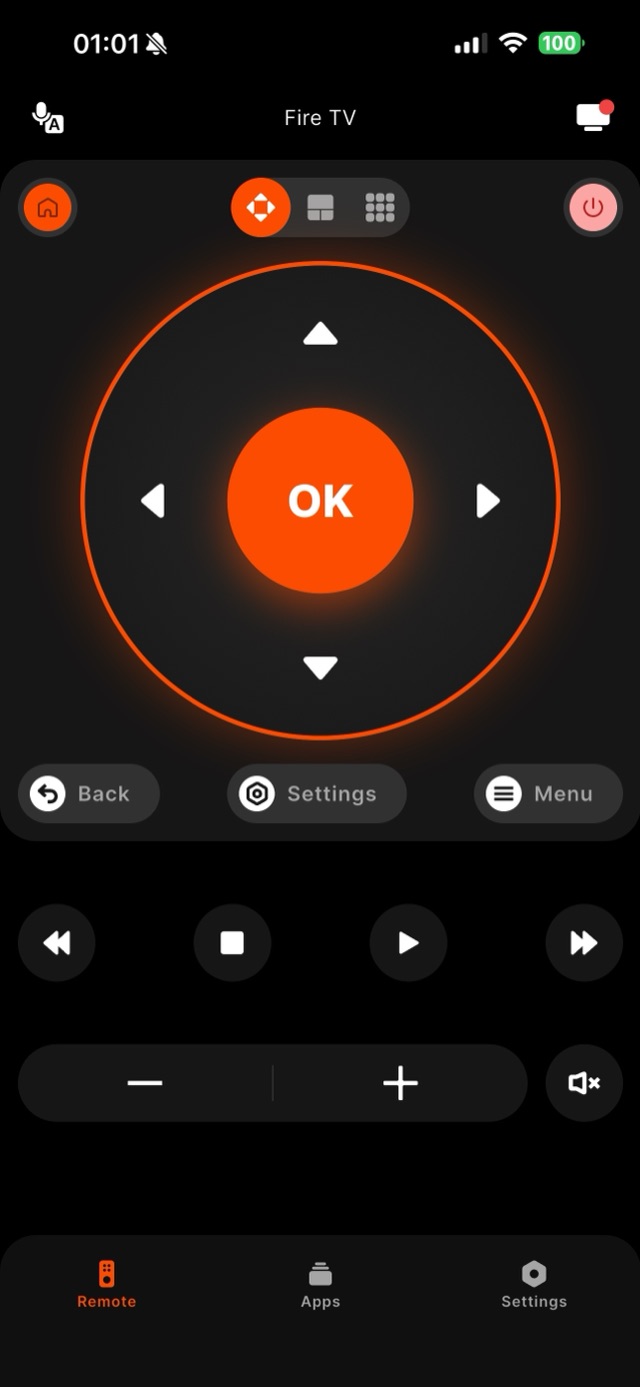
To use an Android phone as a Firestick remote, install Remote for Fire TV, keep the phone on the same Wi-Fi as the Fire TV, pick the device from the list and type the four digits the television shows — after that one-time code the phone reconnects on its own. What follows is the Android-specific part that a store listing does not tell you. Android is the platform where a Fire TV remote app either keeps working for months or quietly stops finding your television, and the difference is nearly always a phone setting rather than the app. Android has no dedicated local-network permission of the kind iOS enforces, so Remote for Fire TV begins scanning the instant you open it and your Fire TV Stick, Stick 4K Max or Fire TV Cube usually appears within a couple of seconds — nothing to approve first. The one prompt you will meet is Location, and it is narrower than it looks: Android hides the name of the Wi-Fi network you are joined to behind location access, so the app asks only so it can print that name on the connect screen. Decline it and the device list still fills in. What does erode over time is power management, because every large manufacturer runs its own layer on top of Android’s. Samsung parks unused apps under Settings, Battery and device care, Battery, Background usage limits, where Sleeping apps and Deep sleeping apps live. Xiaomi wants Autostart switched on and the app’s battery setting moved to No restrictions. OPPO, OnePlus and realme bury the same control inside battery optimisation, and Huawei calls it App launch and expects manual management. None of that breaks the remote while you are looking at it — it delays the reconnect when you come back. The other Android-only surprise is the phone leaving Wi-Fi behind your back: Samsung’s Intelligent Wi-Fi and the Pixel’s Adaptive Connectivity both hop to mobile data when the signal dips, and a phone on mobile data cannot see anything on your home network. The Fire TV side never changes: four digits on the television, typed once.
How it works
Works with your Fire TV over Wi-Fi.
Remote for Fire TV connects to your Fire TV over your home Wi-Fi. The first time, you enter a four-digit code shown on the TV — after that it reconnects on its own. No account, and everything stays on your local network.
- Connection
- Your home Wi-Fi
- Pairing
- One-time 4-digit code shown on the TV
- Account
- Not required
- Privacy
- Remote control stays on your local network
- Works with
- Fire TV Stick Lite & Stick HD, Stick 4K & 4K Max, Fire TV Cube, and Fire TV built-in Smart TVs (Insignia, Toshiba, Amazon Omni); Android 8.0+ phones and tablets
Step by step
How to fix it: Fire TV Remote App for Android.
Each step takes seconds. No account needed — most take nothing more than your phone and the code shown on the TV.
-
Install it and open it — no permission gate
Download Remote for Fire TV on any phone or tablet running Android 8.0 or newer. Scanning starts as soon as the app opens; Android has no local-network permission to clear first.
-
Decide about the Location prompt
Android hides your Wi-Fi network name behind location access. Allow it and the connect screen names the network you are on; refuse it and discovery works exactly the same, minus that label.
-
Pair once with the four digits on the TV
Select your Fire TV from the list and type the four digits it puts on screen. Android stores the pairing with the app, so later launches reconnect without the code.
-
Exempt the app from your phone maker’s battery killer
On Samsung, add it to Never sleeping apps under Battery and device care, Battery, Background usage limits. On Xiaomi enable Autostart and set battery use to No restrictions. OPPO, OnePlus and realme use battery optimisation; Huawei calls it App launch.
-
Stop the phone hopping to mobile data
Samsung’s Intelligent Wi-Fi (Settings, Wi-Fi, three-dot menu) and the Pixel’s Adaptive Connectivity switch to mobile data on a weak signal, which hides the Fire TV instantly. Turn that off and the remote stays connected.
Common questions
Fire TV Remote App for Android — your questions answered.
Does the Android app need a permission before it can find my Fire TV?
The app worked for weeks and now takes ages to reconnect — what changed?
My Android phone keeps losing the Fire TV mid-session — why?
Can I mirror or cast my Android screen to the Fire TV from this app?
Which Android versions and phones are supported?
Free download
Take control of your Fire TV in seconds.
Remote for Fire TV replaces the remote over Wi-Fi the moment your phone joins the same network. Enter the one-time code shown on your TV and you are in — no account, no original remote needed.


An independent app by Auxility, Inc. Not affiliated with, endorsed by, or sponsored by Amazon. Amazon, Fire TV and Firestick are trademarks of Amazon.com, Inc., used only to indicate device compatibility.
Keep exploring
Other Fire TV Troubleshooting Guides
- Lost Firestick Remote lost firestick remote
- Fire TV Remote Not Working fire tv remote not working
- Firestick Remote Replacement fire tv remote replacement
- Fire TV Remote App for iPhone fire tv remote app iphone
- Pair a Firestick Remote pair firestick remote
- Firestick Remote Blinking firestick remote blinking
- Connect Firestick to Wi-Fi connect firestick to wifi
- Fire TV Volume Not Working fire tv volume not working
- Free Fire TV Remote App free fire tv remote app