
FIRESTICK REMOTE BLINKING
Firestick Remote Blinking Orange or Blue? Here's What Each Means.
A blinking orange light usually means the remote has dropped its pairing. Re-link it in about ten seconds — and control your Fire TV from your phone in the meantime with Remote for Fire TV.
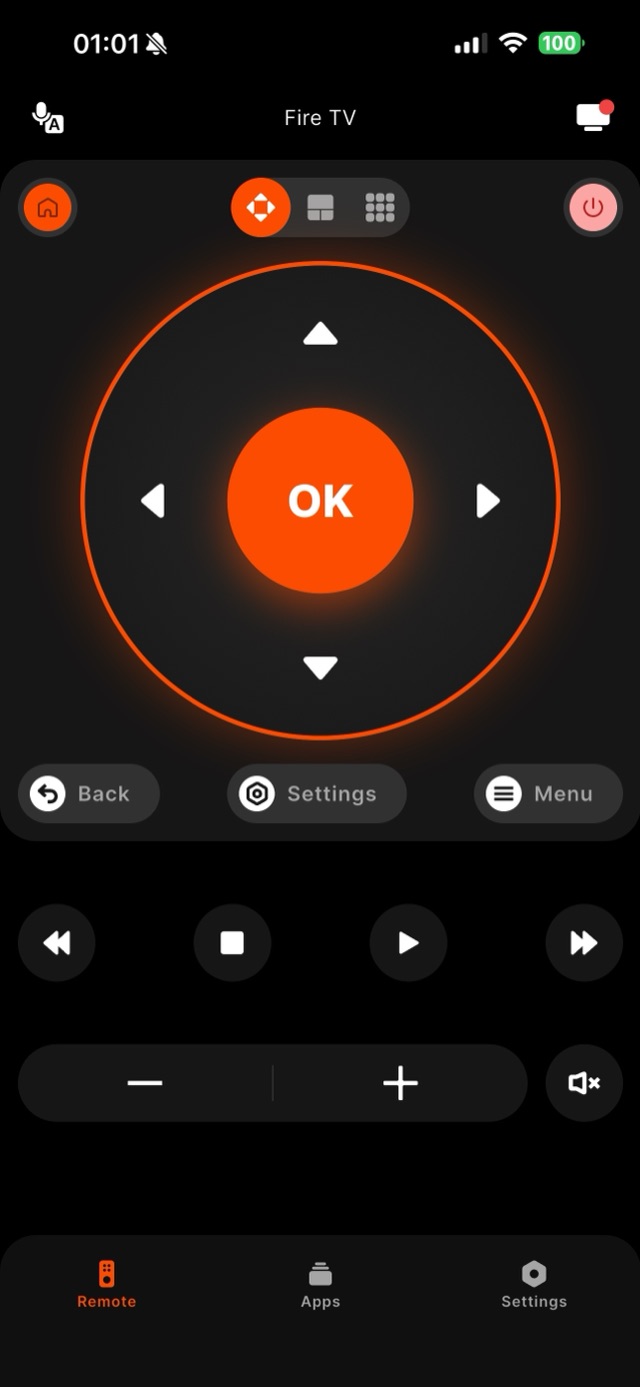
A Firestick remote blinking slow orange has lost its pairing: hold Home for about ten seconds close to the device and it re-links. A blink that survives that is nearly always the batteries. The light is a status signal, not a random fault — and the pattern tells you which problem you have. A slow, steady amber or orange blink almost always means the remote has fallen out of pairing with the Stick and is waiting to reconnect; this is common after a battery change, a power cut, or after the remote was used with a different Fire TV in the house. Rapid orange flashing means the remote is actively in pairing mode and searching. A single blue flash per button press is normal — that is the remote confirming it sent a command — but if you see the blue flash and the TV still does not react, the remote is fine and the problem sits with the Fire TV device or HDMI input instead, which changes the fix entirely. A remote that blinks once weakly and goes dark is usually a battery-voltage story: these remotes are picky about voltage, so rechargeable batteries that measure slightly lower than alkaline often produce exactly this half-alive behavior even when a battery tester calls them fine. Fresh alkaline AAAs are the honest first step before any factory reset. The classic fix for the amber pairing blink is quick: hold the remote’s Home button for about ten seconds, close to the device, until the TV confirms the connection. And while you sort any of this out, you do not have to sit in front of a frozen screen — Remote for Fire TV connects to the same Fire TV over your Wi-Fi and gives you a full working remote on your phone, so a blinking light never means a blocked evening.
How it works
Works with your Fire TV over Wi-Fi.
Remote for Fire TV connects to your Fire TV over your home Wi-Fi. The first time, you enter a four-digit code shown on the TV — after that it reconnects on its own. No account, and everything stays on your local network.
- Connection
- Your home Wi-Fi
- Pairing
- One-time 4-digit code shown on the TV
- Account
- Not required
- Privacy
- Remote control stays on your local network
- Works with
- Fire TV Stick, Fire TV Stick 4K & 4K Max, Fire TV Cube, and Fire TV built-in Smart TVs (Insignia, Toshiba, Amazon Omni)
Step by step
How to fix it: Firestick Remote Blinking.
Each step takes seconds. No account needed — most take nothing more than your phone and the code shown on the TV.
-
Read the blink pattern
A slow orange blink usually means lost pairing; rapid flashing means the remote is in pairing mode. Either way, the remote is asking to reconnect.
-
Hold Home to re-pair
Stand near the Fire TV and press and hold the remote's Home button for about ten seconds until the TV shows it has reconnected.
-
Try fresh batteries if it persists
If the blinking continues, weak batteries are a common cause. Replace them and repeat the Home-button hold.
-
Keep watching from your phone
Open Remote for Fire TV, connect over Wi-Fi with the code shown on the TV, and control the Fire TV from your phone while the hardware remote sorts itself out.
Common questions
Firestick Remote Blinking — your questions answered.
What does a blinking orange light on my Firestick remote mean?
My remote keeps blinking even after re-pairing — what now?
Can I use my Fire TV while the remote is stuck blinking?
My Fire TV is built into the television — does a blinking remote mean something different?
If I re-pair the physical remote, does the app lose its connection?
Free download
Take control of your Fire TV in seconds.
Remote for Fire TV replaces the remote over Wi-Fi the moment your phone joins the same network. Enter the one-time code shown on your TV and you are in — no account, no original remote needed.


An independent app by Auxility, Inc. Not affiliated with, endorsed by, or sponsored by Amazon. Amazon, Fire TV and Firestick are trademarks of Amazon.com, Inc., used only to indicate device compatibility.
Keep exploring
Other Fire TV Troubleshooting Guides
- Lost Firestick Remote lost firestick remote
- Fire TV Remote Not Working fire tv remote not working
- Firestick Remote Replacement fire tv remote replacement
- Fire TV Remote App for iPhone fire tv remote app iphone
- Fire TV Remote App for Android fire tv remote app android
- Pair a Firestick Remote pair firestick remote
- Connect Firestick to Wi-Fi connect firestick to wifi
- Fire TV Volume Not Working fire tv volume not working
- Free Fire TV Remote App free fire tv remote app