
PAIR A FIRESTICK REMOTE
How to Pair Your Firestick Remote — Two Ways.
Whether you are re-pairing the physical remote or setting up Remote for Fire TV on your phone, here is exactly how Fire TV pairing works — including the four-digit code the TV shows the app.
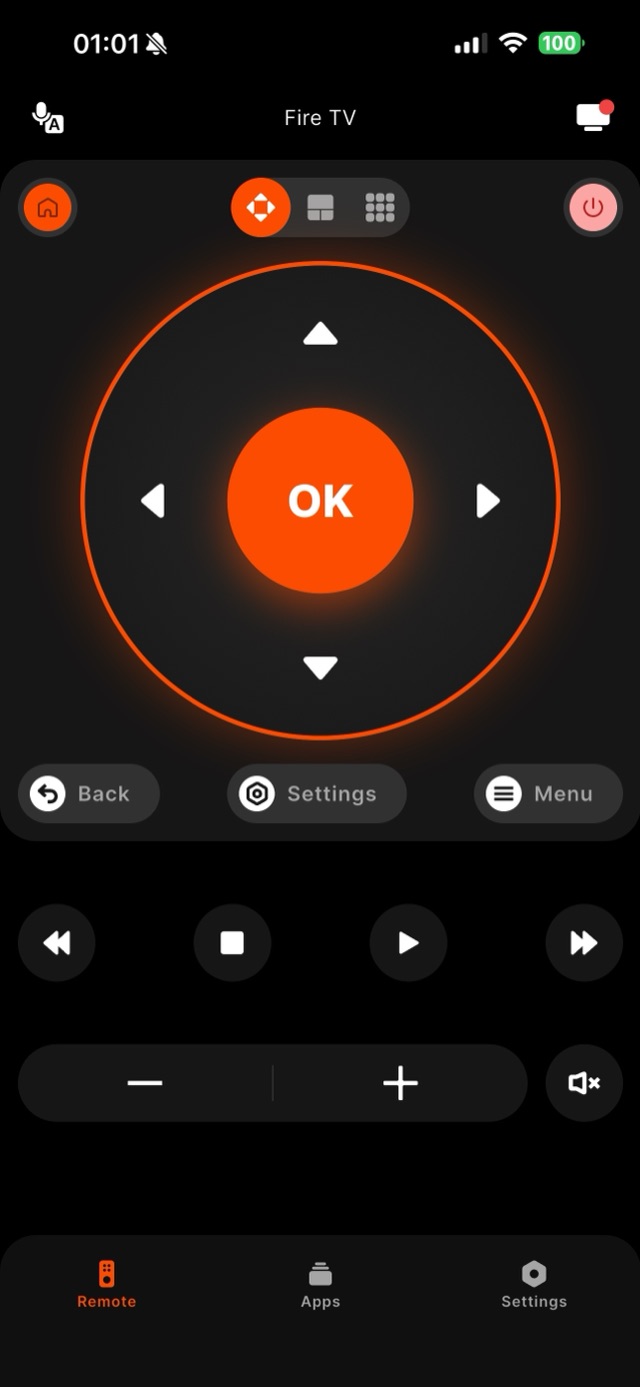
"Pairing a Firestick remote" can mean two things, and both are simple. The physical remote pairs over its own short-range radio: hold its Home button for about ten seconds while standing close to the Stick, and it re-links. That flow is identical on every current device — Fire TV Stick Lite, Stick HD, Stick 4K, Stick 4K Max, and the Cube — but a few device details are worth knowing. A brand-new replacement remote that has never met your Fire TV may need the longer route: keep it in pairing mode near the device during startup, because a remote fresh out of the box only announces itself while the Fire TV is searching. Fire TV devices also have a ceiling of paired remotes (Amazon caps it around ten) — in a house where several remotes and game controllers have accumulated over the years, an old pairing sometimes has to be removed in Settings before a new one takes. Televisions with Fire TV built in (Toshiba, Insignia, Amazon Omni) pair the same way, though their bundled remotes sometimes double as TV remotes with extra buttons the Stick versions lack. The app pairs differently and more openly — Remote for Fire TV reaches your Fire TV over Wi-Fi, and the first time it connects, your Fire TV displays a four-digit code on the TV screen. You type that code into the app once to confirm it is really you, and from then on the app reconnects automatically without asking again. Because the code appears on the TV rather than on any remote, you can pair the app even if the hardware remote is missing or dead. This page walks through the app pairing flow step by step so the first connection is quick and clear.
How it works
Works with your Fire TV over Wi-Fi.
Remote for Fire TV connects to your Fire TV over your home Wi-Fi. The first time, you enter a four-digit code shown on the TV — after that it reconnects on its own. No account, and everything stays on your local network.
- Connection
- Your home Wi-Fi
- Pairing
- One-time 4-digit code shown on the TV
- Account
- Not required
- Privacy
- Remote control stays on your local network
- Works with
- Fire TV Stick, Fire TV Stick 4K & 4K Max, Fire TV Cube, and Fire TV built-in Smart TVs (Toshiba, Insignia, Pioneer)
Step by step
How to fix it: Pair a Firestick Remote.
Each step takes seconds. No account needed — most take nothing more than your phone and the code shown on the TV.
-
Put both devices on one Wi-Fi
Connect your phone to the same Wi-Fi network the Fire TV uses. App pairing runs entirely over that local network.
-
Open the app and select the TV
Launch Remote for Fire TV, let it scan, and tap your Fire TV — for example 'Living Room Fire TV' — from the discovered list.
-
Enter the four-digit code
Your Fire TV shows a four-digit code on the screen. Type it into the app to confirm the pairing. This happens only on the first connection.
-
Let it reconnect automatically
After the code is accepted, the app stores the pairing and reconnects on its own each time you open it — without re-entering the four digits.
Common questions
Pair a Firestick Remote — your questions answered.
Why does the app ask for a code the first time I pair?
How is app pairing different from pairing the physical remote?
Can I pair the app if I don't have the physical remote at all?
The app used to reconnect on its own and now asks for the four digits again — why?
The pairing code never appears on my TV — what is blocking it?
Free download
Take control of your Fire TV in seconds.
Remote for Fire TV replaces the remote over Wi-Fi the moment your phone joins the same network. Enter the one-time code shown on your TV and you are in — no account, no original remote needed.


An independent app by Auxility, Inc. Not affiliated with, endorsed by, or sponsored by Amazon. Amazon, Fire TV and Firestick are trademarks of Amazon.com, Inc., used only to indicate device compatibility.
Keep exploring
Other Fire TV Troubleshooting Guides
- Lost Firestick Remote lost firestick remote
- Fire TV Remote Not Working fire tv remote not working
- Firestick Remote Replacement fire tv remote replacement
- Fire TV Remote App for iPhone fire tv remote app iphone
- Fire TV Remote App for Android fire tv remote app android
- Firestick Remote Blinking firestick remote blinking
- Connect Firestick to Wi-Fi connect firestick to wifi
- Fire TV Volume Not Working fire tv volume not working
- Free Fire TV Remote App free fire tv remote app