
FIRE TV REMOTE NOT WORKING
Fire TV Remote Not Working? Skip It — Use Your Phone.
Dead batteries, an unresponsive button, or a remote that just froze — none of it strands you. Remote for Fire TV controls your Fire TV over Wi-Fi so you can keep watching while you fix the hardware later.
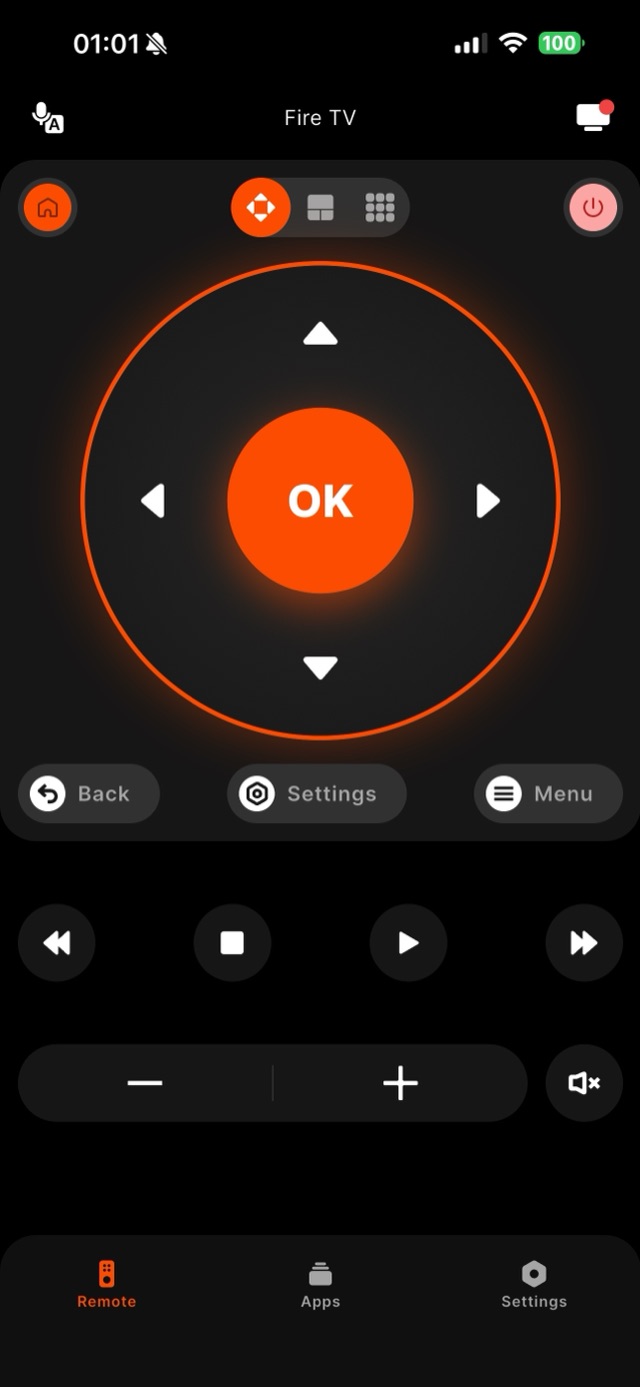
A Fire TV remote can stop working for several reasons: drained batteries, a button that no longer registers, a remote that has silently lost its link to the Stick, or interference near the device. The important thing is that the fault is in the little remote, not in your Fire TV — the Stick, 4K Max, or Cube is still perfectly reachable on your Wi-Fi. Which remote you have matters for the fix. The 1st-gen Alexa Voice Remote (no volume buttons) only talks to the Fire TV itself, while the 2nd- and 3rd-gen remotes and the backlit Alexa Voice Remote Pro also send TV power and volume commands over infrared — which is why a half-broken remote can often still change volume but refuse to navigate, or the reverse: the two functions travel different paths. Battery chemistry is a real factor too: these remotes are sensitive to voltage, so fresh alkaline AAAs regularly revive a remote that rechargeable batteries (which run at a slightly lower voltage) could not. Interference is the sneaky one — a Stick plugged in directly behind the TV, next to USB 3.0 devices or a soundbar, can lose its connection to the remote at couch distance; Amazon includes an HDMI extender cable with Sticks precisely to move the receiver away from that noise. While you sort out the hardware — new batteries, re-pairing by holding Home for about ten seconds, or moving the Stick onto its extender — Remote for Fire TV steps in immediately: it finds your Fire TV on the network and gives you a full working control panel on your phone. Nothing about a faulty remote limits what the app can press.
How it works
Works with your Fire TV over Wi-Fi.
Remote for Fire TV connects to your Fire TV over your home Wi-Fi. The first time, you enter a four-digit code shown on the TV — after that it reconnects on its own. No account, and everything stays on your local network.
- Connection
- Your home Wi-Fi
- Pairing
- One-time 4-digit code shown on the TV
- Account
- Not required
- Privacy
- Remote control stays on your local network
- Works with
- Fire TV Stick, Fire TV Stick 4K & 4K Max, Fire TV Cube, and Fire TV built-in Smart TVs (Toshiba, Insignia, Pioneer)
Step by step
How to fix it: Fire TV Remote Not Working.
Each step takes seconds. No account needed — most take nothing more than your phone and the code shown on the TV.
-
Confirm the Fire TV is on Wi-Fi
The remote may be dead, but the Fire TV itself is likely still online. If the screen still shows the Fire TV home row, it is reachable on your network.
-
Open Remote for Fire TV and connect
Join the same Wi-Fi on your phone, open the app, and pick your Fire TV from the list. Enter the four-digit code shown on the TV the first time.
-
Take over instantly
The full D-Pad, OK, Home, Back, playback, and volume respond right away — no waiting on the broken remote.
-
Fix the hardware when you can
Later, swap the remote batteries, or hold the physical remote's Home button for about ten seconds to re-pair it. The app keeps working regardless.
Common questions
Fire TV Remote Not Working — your questions answered.
Why did my Fire TV remote stop working while the TV is fine?
Will the app work if the Fire TV remote is completely dead?
How do I re-pair the physical Fire TV remote once it is working again?
How do I tell whether the remote is broken or the Fire TV itself is stuck?
Can my TV's own remote drive the Fire TV until the handset is fixed?
Free download
Take control of your Fire TV in seconds.
Remote for Fire TV replaces the remote over Wi-Fi the moment your phone joins the same network. Enter the one-time code shown on your TV and you are in — no account, no original remote needed.


An independent app by Auxility, Inc. Not affiliated with, endorsed by, or sponsored by Amazon. Amazon, Fire TV and Firestick are trademarks of Amazon.com, Inc., used only to indicate device compatibility.
Keep exploring
Other Fire TV Troubleshooting Guides
- Lost Firestick Remote lost firestick remote
- Firestick Remote Replacement fire tv remote replacement
- Fire TV Remote App for iPhone fire tv remote app iphone
- Fire TV Remote App for Android fire tv remote app android
- Pair a Firestick Remote pair firestick remote
- Firestick Remote Blinking firestick remote blinking
- Connect Firestick to Wi-Fi connect firestick to wifi
- Fire TV Volume Not Working fire tv volume not working
- Free Fire TV Remote App free fire tv remote app